
If you can dream it, you can build it
For a while now I have been playing Buildom the wrong way. The game hands me a world to survive in, and instead I flatten a hill because it blocks my view, dump dirt into rivers, and plant pines in neat rows until the meadow looks like a park. Adventure mode is fun, but it kept getting in the way of the thing I actually wanted to do. Build.
So this round got its own answer: a builder mode. One click in the menu, and the question is no longer “what does this world look like” but “what should it look like”.
Just an empty canvas
Builder mode starts with nothing. No terrain to fight, no water to dam, no zombie hands interrupting your third attempt at a bridge. A blank world and a palette.
One detail I care about a lot: there is no fog in builder mode, ever. The fog from last week is atmosphere, it belongs to a play session. While building I want to see every corner of the thing I am making, even three layers down. Flipping the in-game build/play toggle to test something does not sneak it back in either, because a build session is a build session from start to finish. Clear view all the way.
Block by block
The builder hotbar is not the survival hotbar. It carries the full block palette, and that includes terrain: grass, dirt, stone, and the ore dirt blocks with iron and copper in them. So you can place real, mineable ore veins into the mountain you just raised. When someone plays your world and digs into that hill, the iron is actually there, waiting for the pickaxe.
Trees come along too. The plants panel stamps a whole pine onto the map in one click, or you open the parts panel and place trunk, branches and leaves tile by tile to grow a tree no world generator would ever come up with.
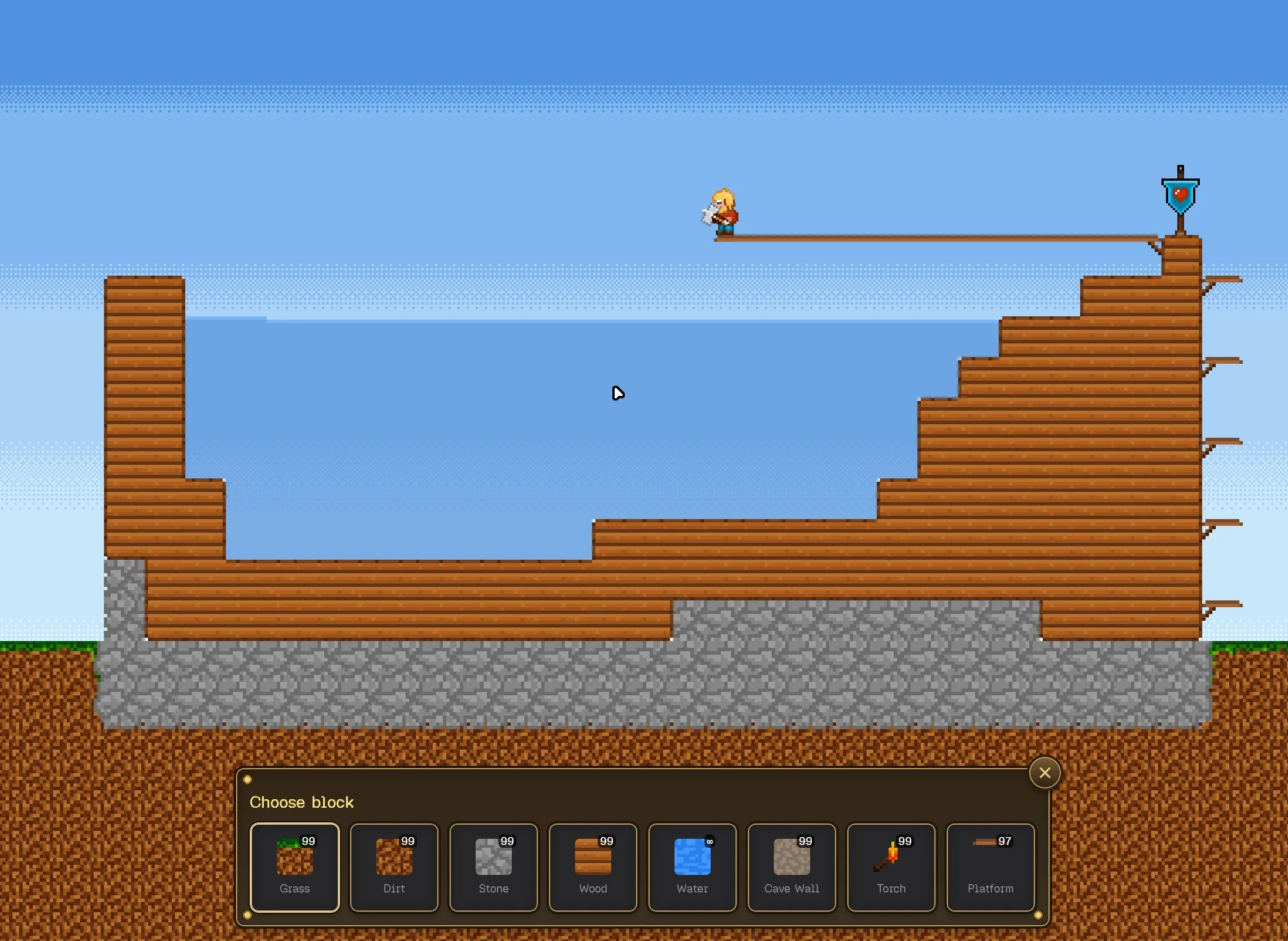
Creatures are part of the blueprint
The part I did not expect to enjoy this much: placing living things. Zombie hands in the dark corners of your cave, animals on the meadow you just built. The trick is that placed creatures are stored as spawns, a type and a tile, not as running simulations. When the world loads, they wake up fresh, exactly where you put them.
That changes what building means. A cave is not just a shape anymore. It is a staged scene: torch at the entrance, ore along the walls, something unfriendly waiting in the dark.
Build it, then play it
Of course you want to know whether your creation actually works. Inside the session you can flip between build and play at any time, place a platform, jump on it, fix it, continue. And when the world is done it can leave the builder: download it from the builder dialog, import it in the adventure dialog, and it runs as a full adventure world, with fog, with zombies, with everything. The built original stays untouched, the play copy takes the scratches.
Named when it earns it
Small thing, but it keeps the flow fast: a new world starts immediately, no name prompt first, and nothing is stored yet. The first save is the moment the game asks what this world is called, twenty characters, that has to be enough. From then on every save lands in that one entry, and discarding a draft leaves no residue behind.
What this mode is really for
While wiring all of this up, one line kept coming back to me: if you can dream it, you can build it. That is the whole point of builder mode. The ore, the creatures, the fog that only shows up when a player walks in, none of it is decoration. It is a way to sketch an idea and hand someone the finished world to experience it.
I know what I am doing this weekend: building a cave full of zombie hands and watching a friend walk into it. If you want to see what gets built next, follow along.