
Building a test mode right from the start
When you build a game with an AI coding partner, you quickly realize something: an AI is only as good as the feedback loop you give it.
If checking a change means booting the whole game, waiting for a full procedural world to generate, navigating around trees, and hoping a specific enemy spawns in the right spot, both you and the AI are going to lose tons of time.
That is why I built a dedicated, decoupled test mode right into Buildom from day one.
Why AI thrives on test scenarios
Working with AI changes how you structure tests. It is not just about unit tests that check if a math function returns 42. For game development, you need visual, reproducible states.
When an AI agent implements a new mechanic, like jump physics, wall sliding, or tile collisions, it can write a tiny test scenario in its own file. Then it verifies the behavior against a known, predictable environment.
No guesswork, no random world seeds messing up the result.
What the test mode gives me
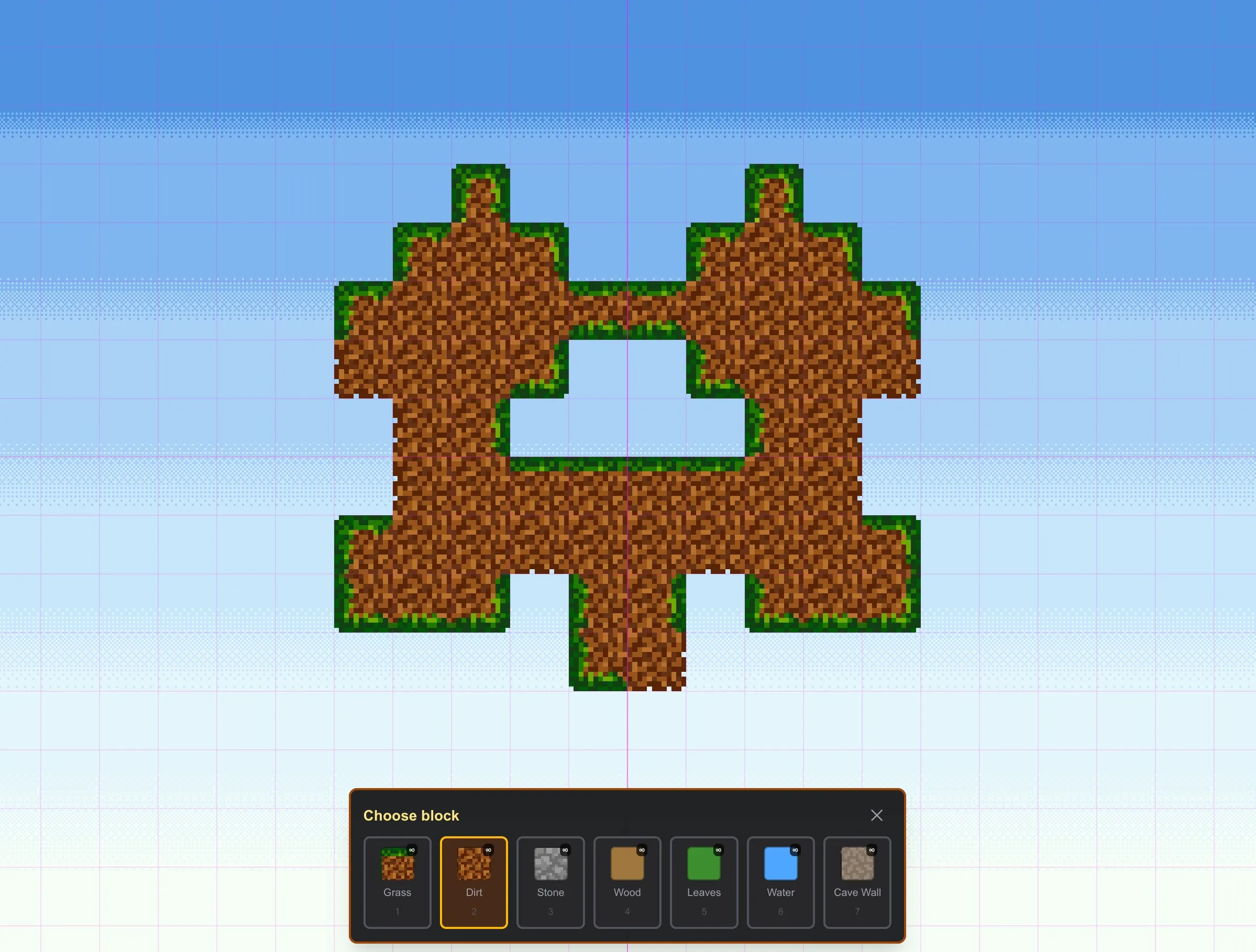
Instead of hardcoding debug flags into the engine, every test lives completely separate from the game code. A test is just a clean world builder with optional spawn and rendering overrides, accessible directly via a URL parameter like ?test=dirtPlatform.
Here is what makes this setup so useful:
- Isolated world generation: Each test creates only the exact tiles needed for the scenario: a single flat dirt strip, a floating ledge, or a vertical wall.
- Entity control: I can turn off random enemy spawns entirely or set exact spawn counts, like testing rabbit animations without zombie hands getting in the way.
- Free mode: Disabling the player sprite and gravity allows free building and destroying anywhere on screen, with zoom centered right on the cursor.
- Clean canvas rendering: The HUD and overlay UI can be hidden with a single flag, giving an unobstructed view of the raw rendering and tile transitions.
- Safe from save state mutation: Running a test skips loading or overwriting local storage saves, so actual game worlds never get corrupted during experiments.
Building worlds faster
The best part? This test mode is not just a debugging harness for code. It is an incredible playground for designing the game itself.
When I want to see how a new dirt tile connects to grass, or how a character silhouette looks against different background colors, I do not have to wander through a huge map looking for the right spot. I spin up a lightweight test scene, test the visuals instantly, and iterate.
Setting up the test harness early felt like extra work for an afternoon, but it already paid for itself ten times over.
Next up: using these test scenarios to dial in our movement physics and collision boxes. Follow along as the gameplay takes shape!