
Building my own pixel editor
Fifteen years ago, my workflow for pixeling game assets was centered entirely around Photoshop. It worked, but it was far from ideal. Photoshop was a massive, general-purpose photo editing powerhouse. I spent endless time configuring pencil tools, turning off anti-aliasing, fighting with grid settings, and manually exporting sprite sheets.
Fast forward to today: I was able to build my very own dedicated asset pixel editor in no time, tailored 100% to my exact project workflow.
We live in an incredible time.
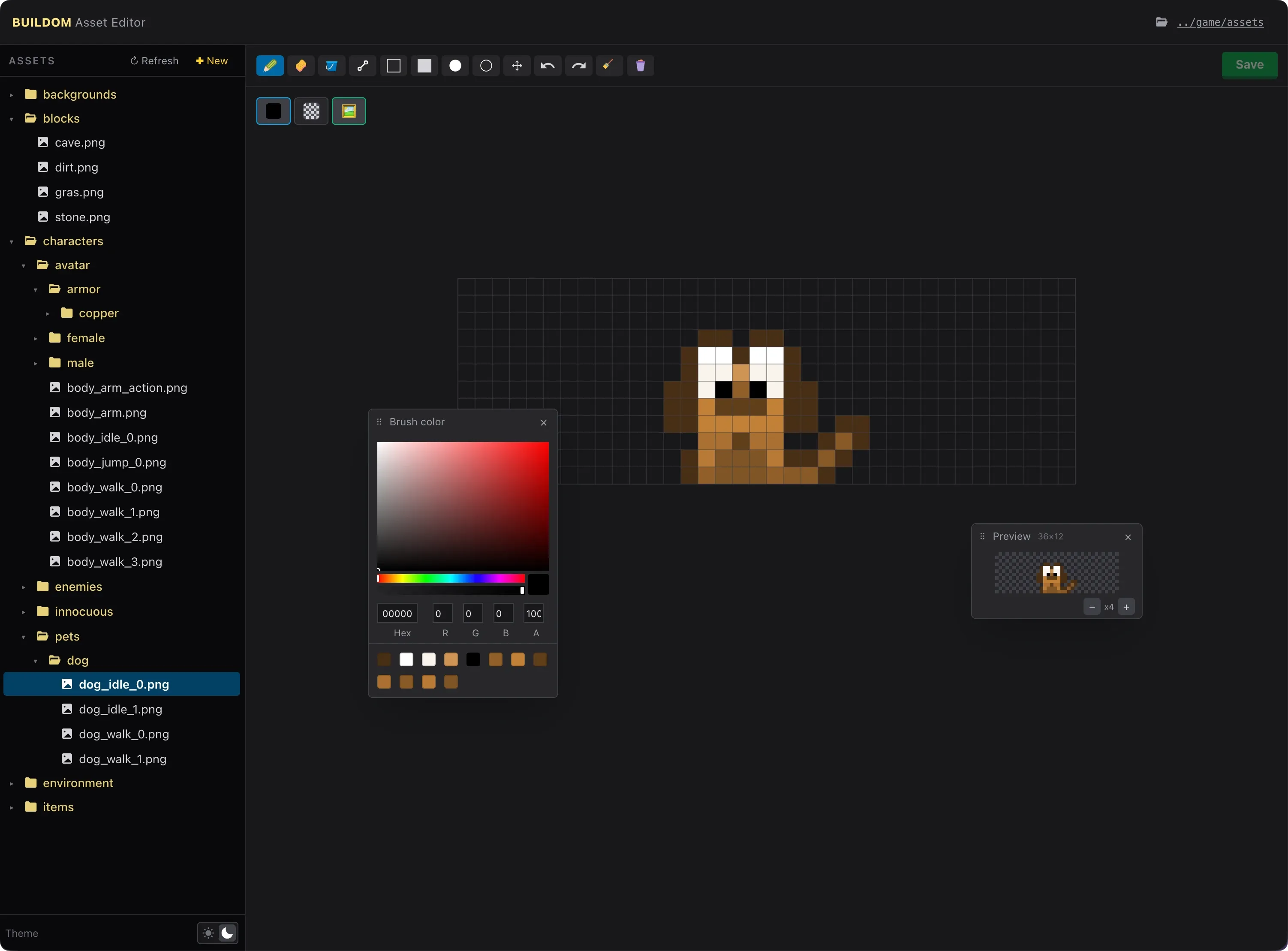
Instead of reinventing the wheel from scratch, I picked dotting as a solid canvas foundation. From there, I used AI to strip away everything I didn’t need and build the exact feature set required for Buildom:
- Direct file system integration mirroring the game’s asset folders.
- Instant PNG loading, drawing, erasing, and flood filling.
- Single-click saving right back into the game directory, triggering automatic sprite sheet rebuilds.
- No clutter, no subscription dialogs, and no bloated toolbars.
I even threw in dark and light mode support. Why? Well, why not?
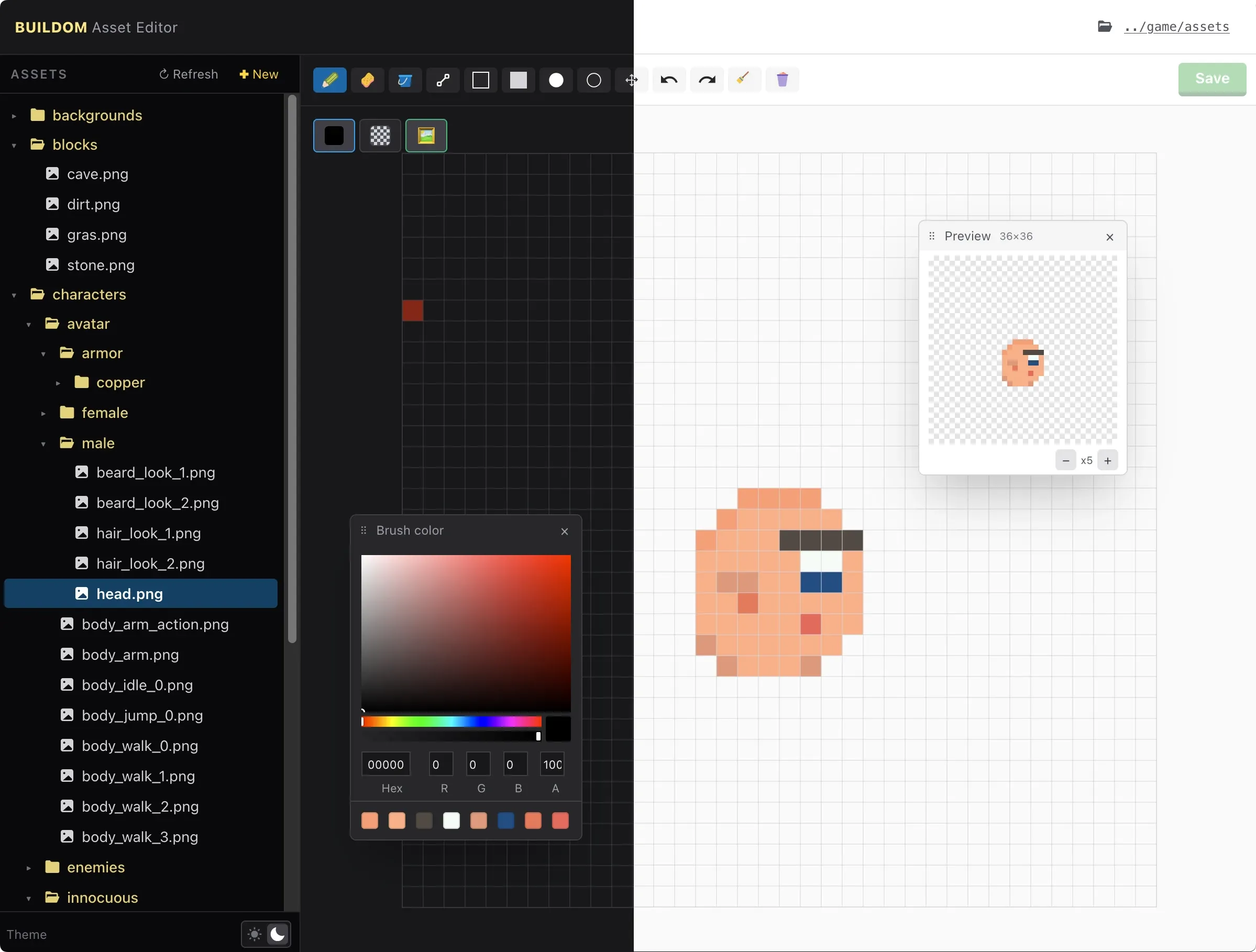
Having an editor that fits your exact mental model and pipeline makes creating new assets feel effortless. What used to take dedicated tooling teams or clunky workarounds can now be spun up as a lightweight, custom companion app in an afternoon.
Next up: putting the editor to work and getting the first world tiles and animations into the game loop. Follow along to see how the world comes together!